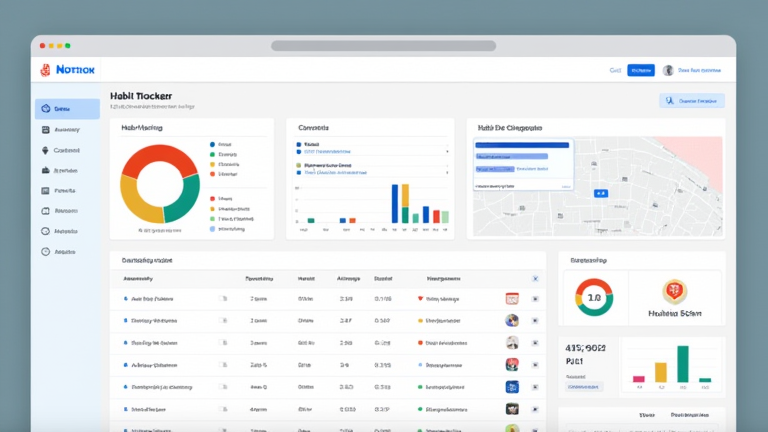
TL;DR: Build a habit tracker dashboard in Notion by creating a database with your habits as rows and dates as properties, then adding checkboxes for daily completion. Link that database to a dashboard page with filtered views, progress bars, and rollups so you can see streaks and completion rates at a glance.
Step 1: Create the Habit Database
Open a new page and type /database to insert an inline database. Name it “Habits.” Add a “Name” property for each habit (e.g., Drink Water, Read 20 Pages, Exercise). Add a “Date” property set to the current day, then duplicate it for each additional day you want to track. Finally, add a “Checkbox” property labeled “Done” for each date column.
If you want to dig deeper, check out our guide on 7 Simple Daily Habits for Better Health: A Beginner’s Guide.
Step 2: Add Streak and Progress Properties
Add a “Rollup” or “Formula” property to calculate completion. For a simple percentage, use a formula like if(prop(“Done”), 100, 0). For streaks, create a separate “Streak” property and manually update it, or use a formula that counts consecutive checked boxes across date properties.
Step 3: Build the Dashboard Page
Create a new page called “Habit Dashboard.” Type /linked view of database and select your Habits database. Choose a “Table” view for detailed tracking, then add a “Board” view grouped by a “Category” property (e.g., Health, Learning, Fitness). Add a “Calendar” view to see habits mapped across days.
Step 4: Add Filters and Sorting
On each view, click “Filter” to show only today’s habits or this week’s entries. Sort by “Name” or “Category” for consistency. Use “Filter > Date is Today” on a dedicated “Today” view so your dashboard always opens to the current day.
Step 5: Polish the Dashboard
Add a callout block at the top with your weekly intention. Insert a “Progress Bar” formula property to visualize completion. Use emojis in habit names for quick scanning. Finally, set the dashboard as a favorite in your sidebar for one-click access.
Tips
Keep habits to 5–7 to avoid overwhelm. Review your dashboard every Sunday and archive completed weeks. Use Notion’s “Template Button” to auto-generate new daily rows.
FAQ
Q: Can I track habits weekly instead of daily?
A: Yes. Replace date properties with a “Week” select property and check boxes once per week.
Q: How do I calculate streaks automatically?
A: Use a formula property that counts consecutive checked date columns, or use a third-party Notion automation like Make or Zapier.
Q: Can I share my habit tracker with an accountability partner?
A: Yes. Click “Share” and invite them as a viewer or editor, or duplicate the page to their workspace.
Leave a Reply