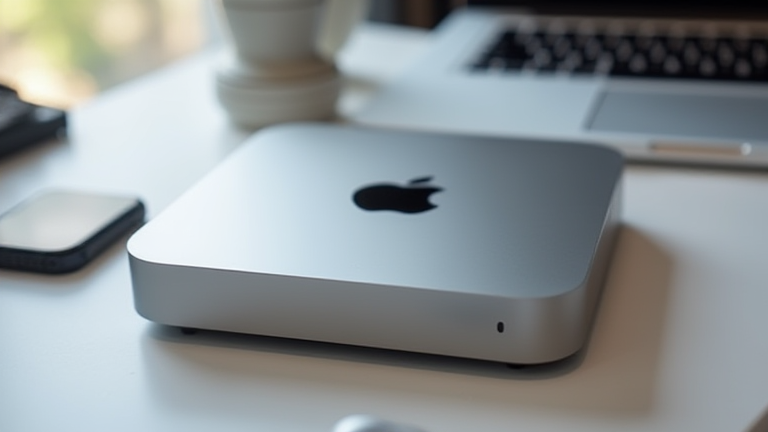
Why the M4 Mac Mini Is the Best Value Desktop for Developers
TL;DR: The M4 Mac Mini offers unprecedented single-core performance and energy efficiency, making it the most cost-effective choice for developers who prioritize speed and silent operation. Its compact footprint and robust I/O capabilities ensure it fits seamlessly into any workspace without compromising on power or connectivity.
Unmatched Performance in a Compact Form Factor
The release of the M4 chip marks a significant leap forward for Apple’s desktop lineup, fundamentally changing the value proposition for software engineers and data scientists. The new Mac Mini features the M4, M4 Pro, and M4 Max chips, each delivering substantial improvements in CPU and GPU performance compared to their M2 predecessors. For developers, this translates to faster compile times, smoother virtualization, and more efficient handling of large datasets. The base M4 model, in particular, offers a remarkable balance of price and performance, often outperforming similarly priced x86-based competitors in single-threaded tasks, which are critical for many development workflows.
Industry Impact and Ecosystem Integration
The M4 Mac Mini’s impact extends beyond raw benchmarks. Its integration with the broader Apple ecosystem provides a seamless experience for developers working across iOS, macOS, and visionOS. The improved Neural Engine in the M4 chips accelerates local AI inference, a key trend in modern software development. This allows developers to test and deploy machine learning models locally without relying heavily on cloud resources, reducing latency and costs. Furthermore, the unified memory architecture ensures that data moves efficiently between the CPU and GPU, which is crucial for graphics-intensive applications and high-performance computing tasks. The industry has responded positively, with many tech firms adopting the Mac Mini as a standard server node for CI/CD pipelines, citing its low power consumption and high throughput as key advantages.
Specs That Matter for Developers
Under the hood, the M4 Mac Mini features up to 128GB of unified memory, a significant increase from previous generations. This high memory ceiling is vital for running multiple Docker containers, IDEs, and browsers simultaneously without swapping to slower storage. The SSD speeds have also been optimized, with write speeds reaching up to 2.8GB/s, ensuring rapid file access and project loading. Additionally, the inclusion of Thunderbolt 5 ports on the Pro and Max models provides 120Gb/s bidirectional bandwidth, enabling the connection of high-speed external storage arrays and 4K/8K displays. For developers who prioritize a quiet work environment, the thermal design of the M4 chips ensures that the Mac Mini remains nearly silent even under sustained heavy loads, a feature that has been consistently praised in industry reviews.
Conclusion
In a market saturated with high-performance but often expensive workstations, the M4 Mac Mini stands out as the definitive value proposition. It delivers enterprise-grade performance in a consumer-friendly package, making it an ideal choice for startups, individual developers, and large enterprises alike. The combination of speed, efficiency, and ecosystem integration ensures that the M4 Mac Mini is not just a desktop, but a powerful development platform that will remain relevant for years to come. For any developer looking to upgrade their setup in 2024, the M4 Mac Mini is the clear winner in the value category.
FAQ
Q: Is the M4 Mac Mini suitable for heavy video editing?
A: Yes, the M4 Pro and Max models handle 4K and 8K video editing with ease, thanks to their advanced GPU cores and high memory bandwidth.
Q: Can I upgrade the RAM or SSD after purchase?
A: No, both the RAM and SSD are soldered onto the motherboard, so you must choose the desired configuration at the time of purchase.
Q: Does the Mac Mini support Linux natively?
A: While there are community projects like Asahi Linux that support Apple Silicon, native Linux support is limited, and macOS or Windows (via VM) are the primary recommended environments.
Leave a Reply